
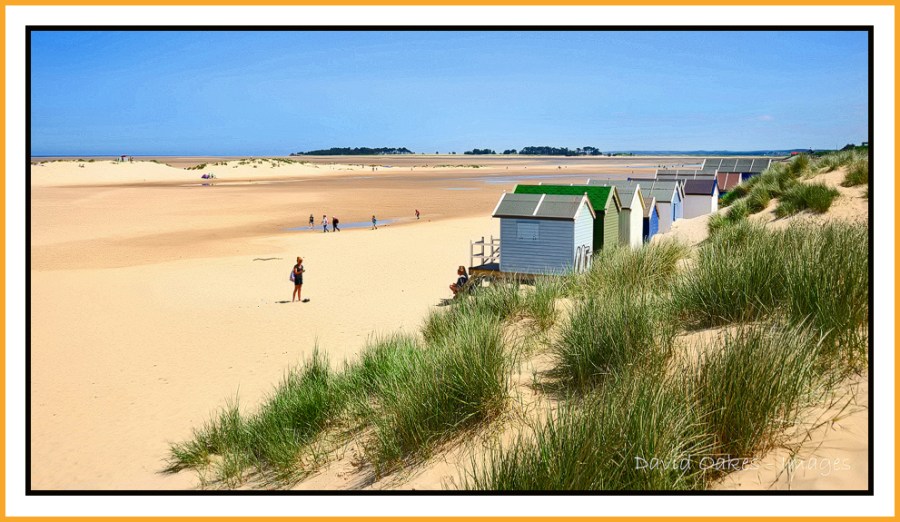
The Beach at Wells Next the Sea, Norfolk Coast
It does seem like several lifetimes ago that we had ‘Beach’ weather……
I guess it is something to look forward to after the current run of dark days….a glimmer of summer hope.
10th January
(C) David Oakes 2017


Endless sands….
LikeLike
If you have been to this beach you won’t need me to tell you that the view in the opposite direction stretches on even more endlessly 🙂
LikeLiked by 1 person
Exactly!
LikeLiked by 1 person
I love the beach… in winter. Also in Autum and spring. I used to walk along the beach and finish in one of the beach restaurants of cafe’s and have a very large hot chocolate with whipped cream (with sugar in it) on top. 😀
LikeLike
Now that is naughty….but nice 🙂
LikeLike
Oooh a sight for sore eyes on this miserable, wet and cold January day.
LikeLike
I have achieved my objective 😃🌕
LikeLiked by 1 person
Happy New Year David – now this is a place I know from my time in Watton – Norfolk. and Wyton Cambridgeshire. Interestingly this want on my feed – I was think about your comments about the new reader etc. I had previously set up a Key Blogs list when WordPress made the initial changes to the reader. The key blog list which I compiled had all the main blogs I want to see – on my terms – worth investigating and easy to set up – that way you dont miss the important blog posts like mine – ha ha
LikeLike
Happy New Year to you Scott. Now cleaver clogs…..I am missing something here. Where and how do I set a Key Blog List. Been looking through the WP My site and Admin list and cannot find any clues. Cn you point me in the right direction ?
LikeLike
Open up your reader this opens a sub menu on the left of the screen, which has Followed Sites’ Discover, search, My Likes, and below that lists. I set up a list (which I renamed Key Blogs) and then added all my favorite blogs which means I have a bespoke reader of the blogs I dont want to miss – which is perfect – I will see if I can identify a link in help and send it to you
LikeLike
Try this link David https://en.support.wordpress.com/reader-lists/
LikeLike
Thanks but I seem to missing something . My Reader just lists Followed Sites -Discover – Search – My Likes – Tags. No heading Lists. ?
LikeLike
The link i sent should help – don’t think yiu will have a list entry until u create one
LikeLiked by 1 person
Thanks fore help…I will keep trying but my Reader does not have all the same headings on the drop down panel. Your instructions and WP help page just don’t match….so I think I best pose a question to WP….not that they respond quickly.
LikeLike
Okay – I have just found my list editing page – Reader>Likes>List>select list>settings>new list or edit existing list
LikeLiked by 1 person
Thanks for the help but I think we have a fundamental difference in Reader layout. Mine goes Reader>followed Sites>.Discover>.Search>My Likes If this is right clicked it brings up a list of Tags. I can add a tag to the list but cannot add any site content to that tag. When drop down closed the added tag disappears (as there is no defined content I think). Don’t worry further I will try again and await WP to get back to me. Thanks for your patience 🙂
LikeLiked by 1 person
On the contrary I love trying to resolve stuff. One final thought is your WordPress software the most up to date and are you using the classic interface or the the so called simpler interface?
LikeLiked by 1 person
Software I have check and is up to date Version 2.2.0. I normally enter WP via my site bookmark in the so called global Dashboard so that one I can see my blog then click on write to create a new blog or else click Reader or My Site for access to everything else. I create in the new style writer. Still cannot get the same drop down as you. Interesting though if I open up the stand alone WP site it brings up a reader which is like the previous reader with a full size image. So that gets round that problem ……
LikeLiked by 1 person